Join Our Certified Winter Training Program in Association with Techkriti IIT Kanpur
This Special Offer Will End on 31st January 2025. Make a Wise Decision & Enroll Now!
Winter Training Registrations Will Close PERMANENLY after 31st January 2025.
Buy 3 Courses & Use Coupon Code SUPERSMART to get FLAT ₹***/- OFF!
Note: By Default Data Science is Selected.
To Choose a different course, click on the new course and then de-select Data Science.
Note: By Default Data Science is Selected.
To Choose a different course, click on the new course and then de-select Data Science.
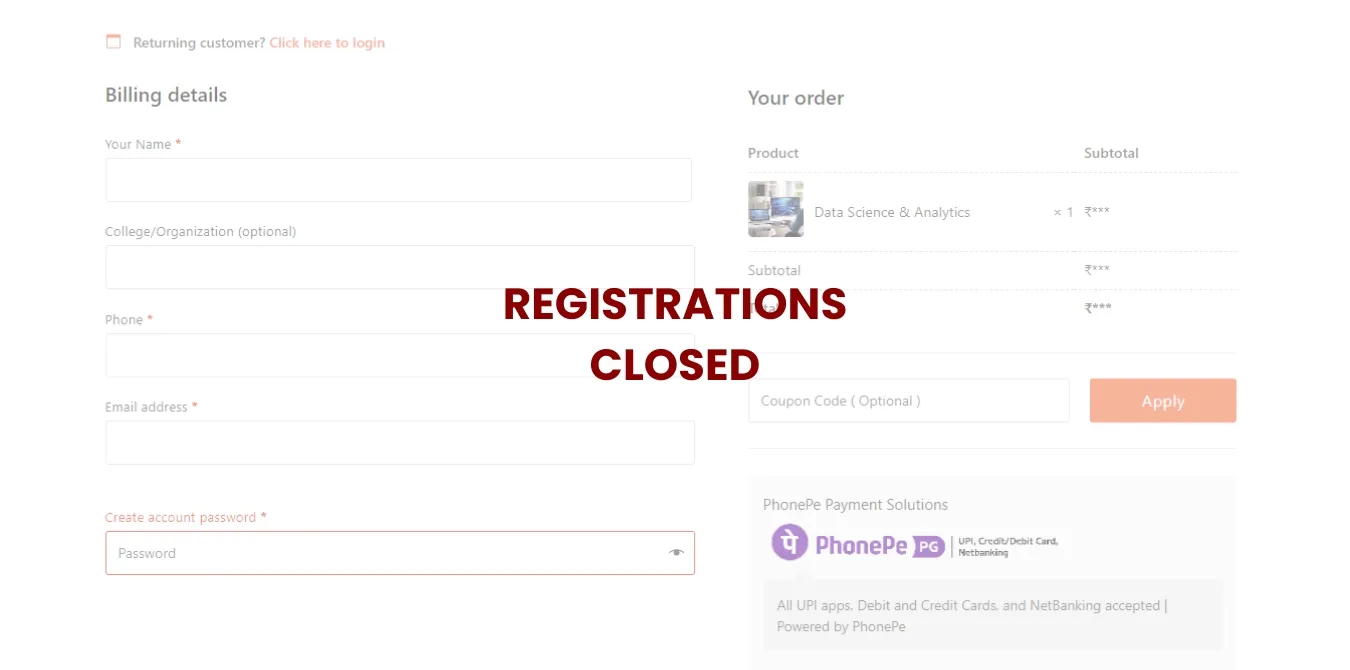
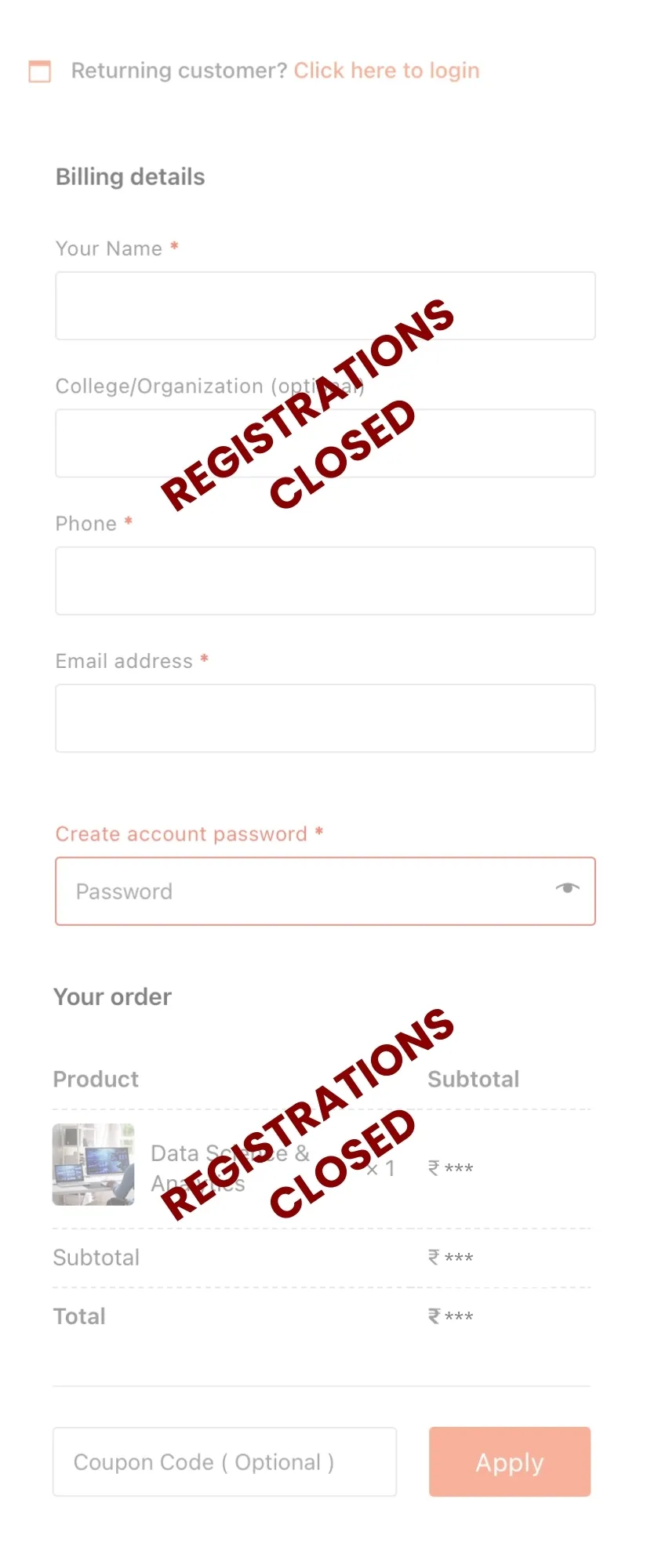
| Product | Subtotal |
|---|---|
|
Data Science & Analytics |
₹599.00 |
| Subtotal | ₹599.00 |
| Total | ₹599.00 |





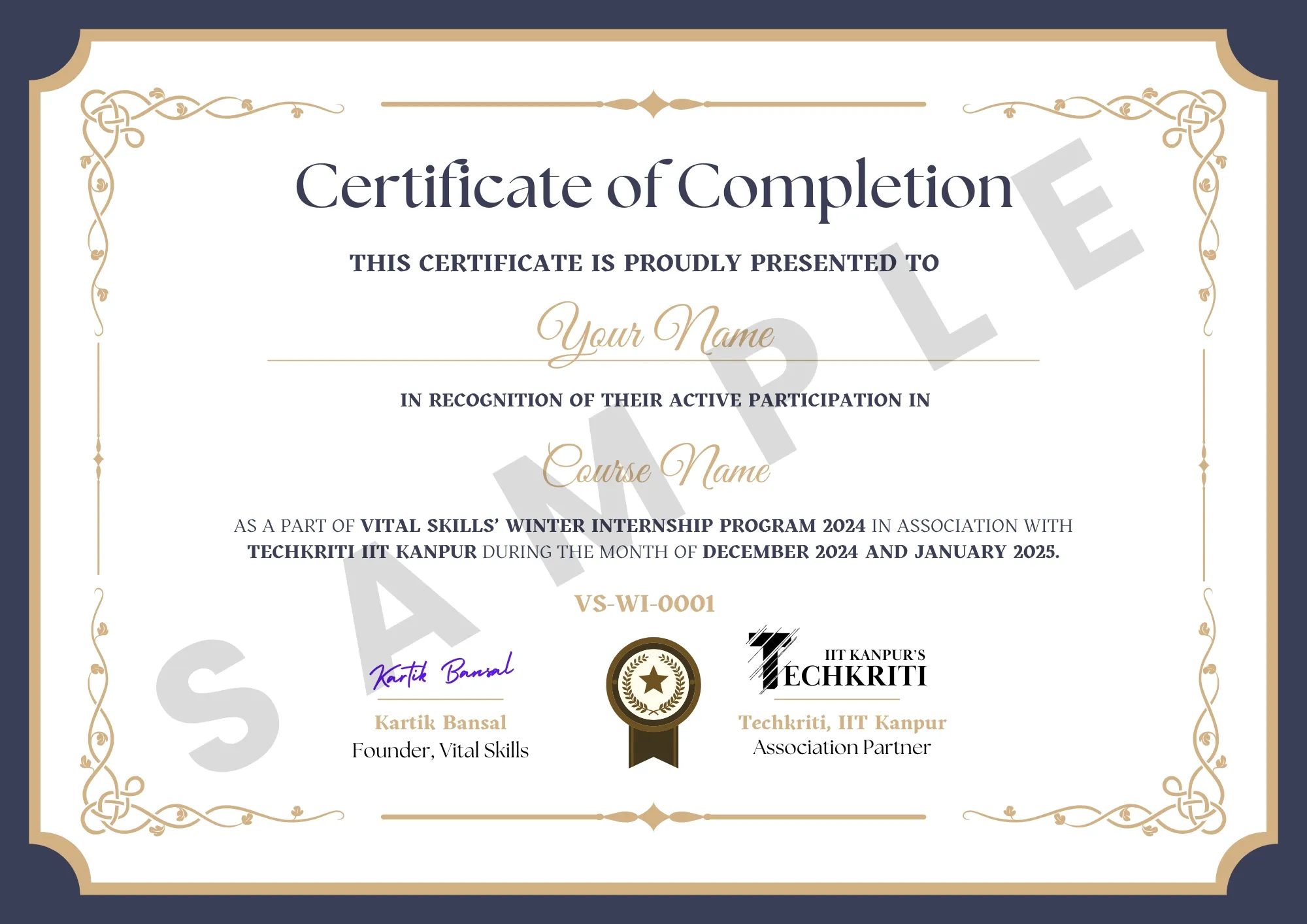




Enrol in the Winter Training Program by Completing the checkout Process.

Access Your Course Instantly and start learning at your convenience.

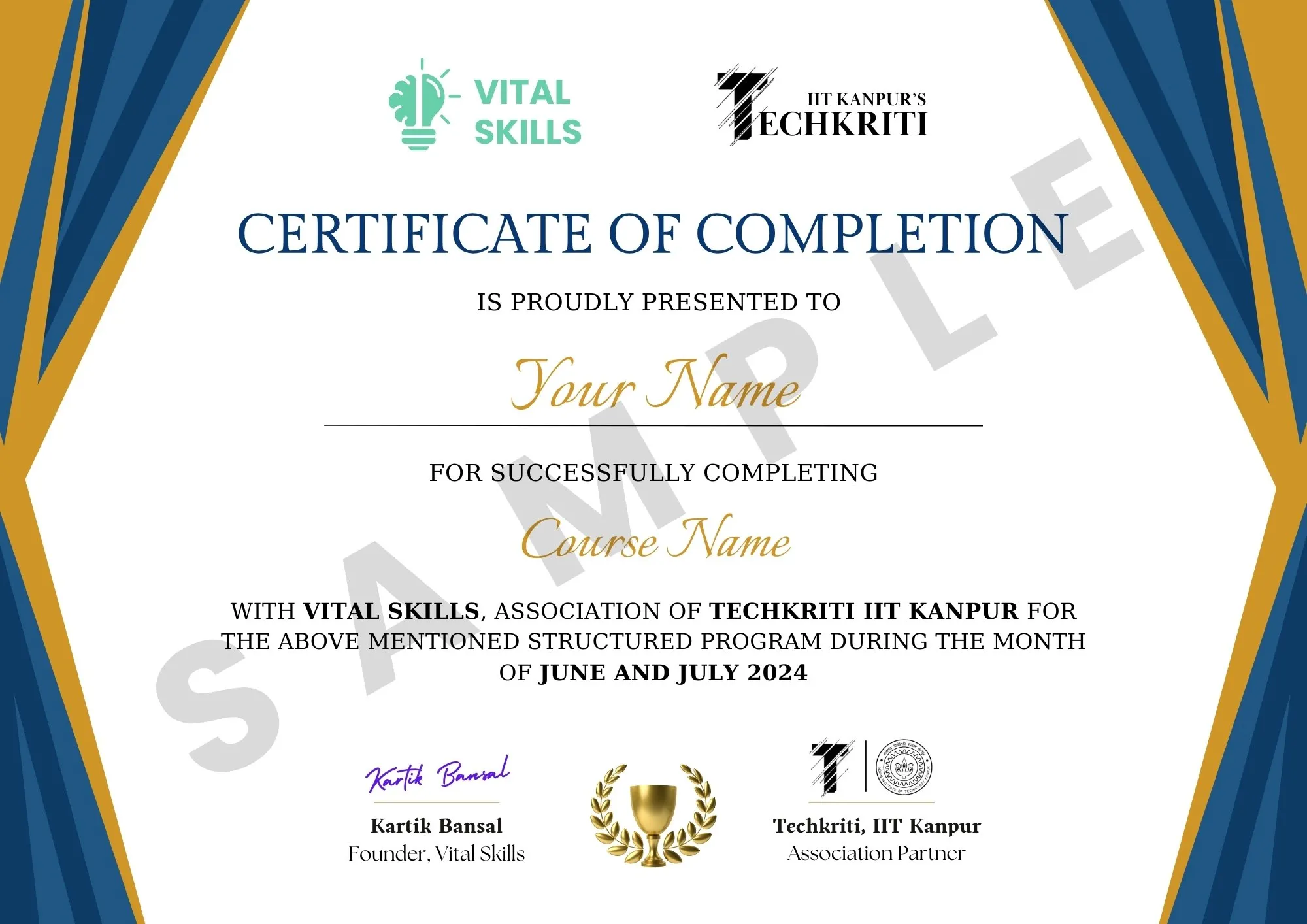
When you are done, download your certificate from Techkriti IIT Kanpur and Vital Skills.

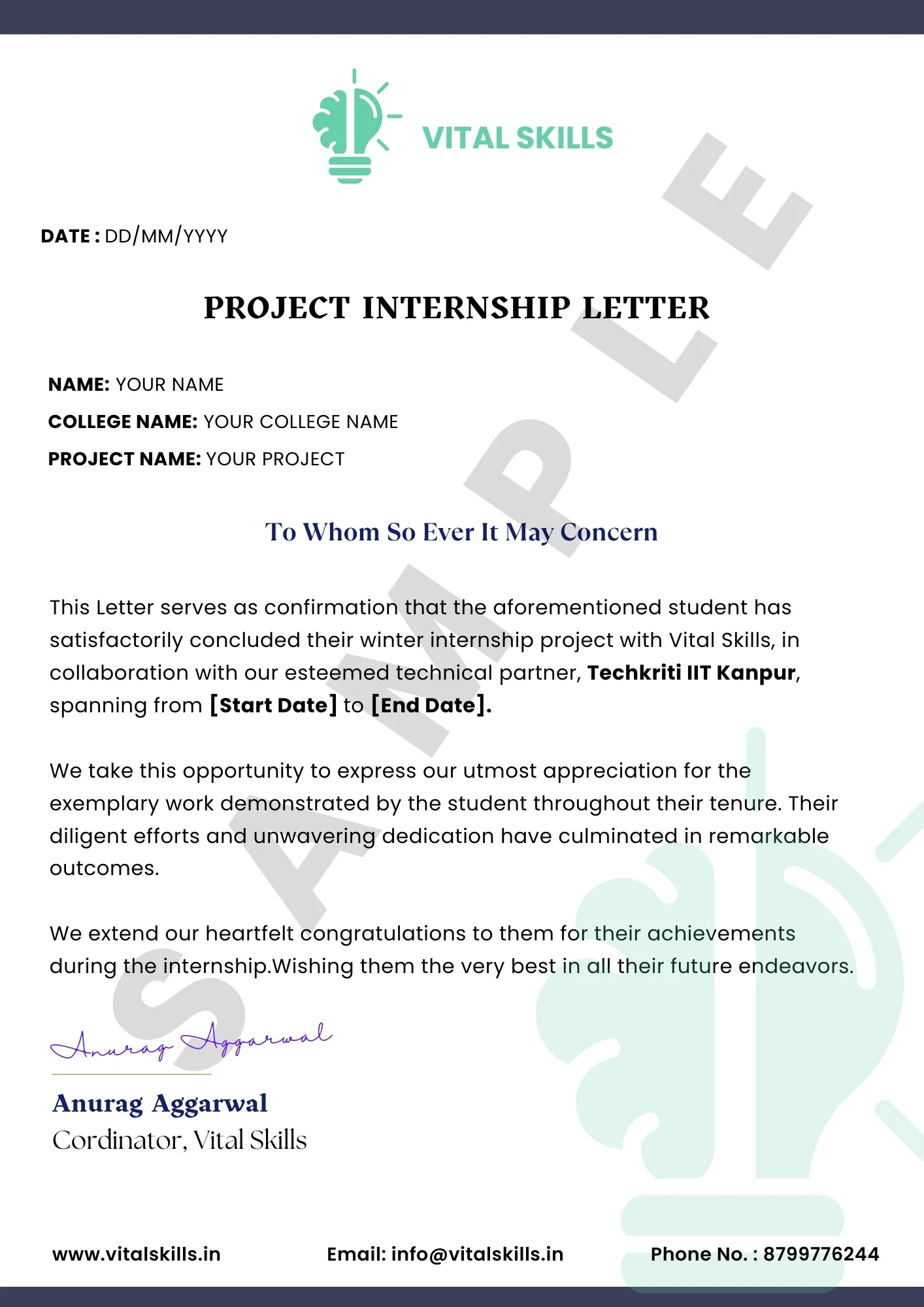
After that make a project, based on your learning, submit it and get your project letter.
Enrol in the Winter Internship Program by Completing the checkout Process.
Access Your Course Instantly and start learning at your convenience.
When you are done, download your certificate from Techkriti IIT Kanpur and Vital Skills.
After that make a project, based on your learning, submit it and get project letter.
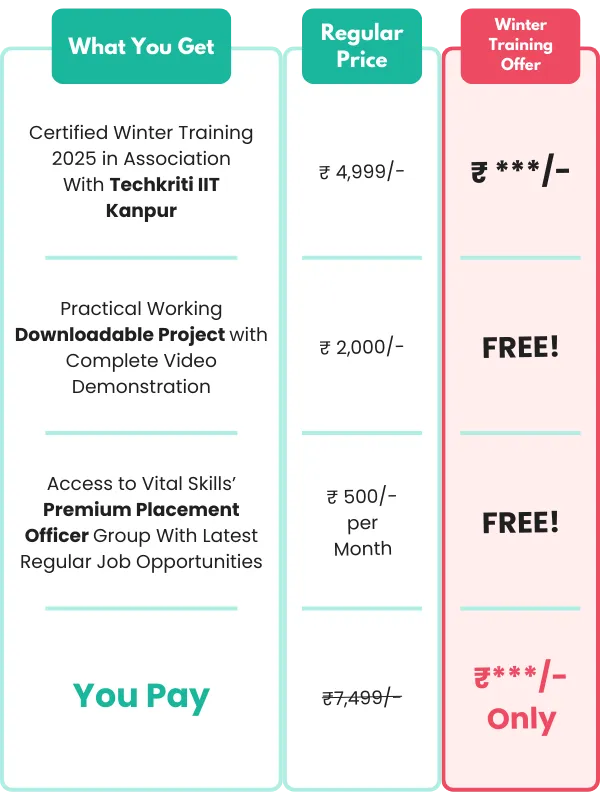
Certified Winter Training 2025 in
Association With Techkriti IIT Kanpur
Practical Working Downloadable Project with Complete Video Demonstration
Access to Vital Skills’ Premium Placement Officer Group With Latest Regular Job Opportunities
You can join Our Winter Training Program which is in association with Techkriti IIT Kanpur by selecting your desired course on this page, and then completing the payment process.
You will get total 3 Certificates:
1. Course Completion Certificate from Vital Skills.
2. Certificate from Techkriti IIT Kanpur.
3. Project Internship Letter
Yes Of course, you can share your certificates on LinkedIn and also tag us on your posts.
Yes this is an Online Program.
These are pre-recorded and self-placed lectures. So that you can learn anytime and anywhere you want at your own convenience.
Yes! Other than the huge discount offer (₹7,499 ₹***), we have more discount coupons and combos for you:
1. Full Stack Development Using MERN – ₹*** Only
2. Special Combo (Machine Learning + Python Programming) – ₹*** Only
3. Special Combo (Data Science + Python Programming) – ₹*** Only
4. Super Combo (Data Science + Machine Learning) – ₹*** Only
5. Special Combo (Front-End Development + UI/UX Development) – ₹*** /- Only
6. Ultimate Deal – ALL COURSES – ₹**** /- Only
You can also use these discount coupons if you like:
Buy 2 Courses and use the coupon code – SMART and get FLAT ₹***/- OFF!
Buy 3 Courses and use the coupon code – SUPERSMART and get FLAT ₹***/- OFF!
As these are self-placed / pre-recorded lectures, our professional trainers have tried to solve all the doubts in the lectures itself.
So, there is no additional doubt forum.
You have to download your training certificate within 2 months of enrolling. You will still have lifetime access to all of the content.
You can Call/WhatsApp us on:
+91 87 9977 6244
Or You can E-mail us on:
info@vitalskills.in
In case you have made a duplicate payment or enrolled in the wrong course by mistake, then you can contact us on the details given below.
We will assist you in changing your course or refunding your duplicate payment.
You can Call/WhatsApp us on:
+91 87 9977 6244
Or You can E-mail us on:
info@vitalskills.in
Please note that refund will only be made in case of a duplicate payment.
Module 1: Introduction to Backend Development and Node.js
Overview of backend development
Importance of backend in web development Backend technologies and their role
What is Node.js?
Installation and setup
Understanding Node.js architecture
JavaScript fundamentals review
Node.js modules and CommonJS syntax
Asynchronous programming with callbacks
Module 2: Building Web Servers with Node.js
Defining routes in Node.js
Introduction to package.json and npm packages.
HTTP request and response.
Handling different HTTP methods (GET, POST, PUT, DELETE)
Parsing request parameters and payloads
Static file hosting, server side rendering, Web APIs
Passing data from backend to frontend
Module 3: Building Web Servers with Express.js
What is Express.js?
Why use Express.js for web development?
Installing Express.js and setting up a project
Defining routes in Express.js
Handling different HTTP methods (GET, POST, PUT, DELETE)
Parsing request parameters and payloads
API Endpoints
Understanding middleware concept
Implementing custom middleware
Using third-party middleware (body-parser, morgan, etc.)
Integrating template engines like EJS or Pug
Rendering dynamic content in views
Passing data from backend to frontend
Module 4: Building RESTful APIs
What are RESTful APIs?
Understanding RESTful principles (resources, methods, status codes, etc.)
Benefits of RESTful architecture
Designing API endpoints
Implementing CRUD operations for resources
Handling request validation and error responses
Securing APIs with middleware
Module 5: Working with MongoDB
What is MongoDB?
Comparing MongoDB with SQL databases
Installing and setting up MongoDB
Performing CRUD operations (Create, Read, Update, Delete)
Using MongoDB shell for command line interface
Using MongoDB Compass for visual interaction
Introduction to MongoDB Atlas for cloud-based database hosting
Introduction to Mongoose
Connecting Node.js to MongoDB using Mongoose
Defining models and schemas in Mongoose
Performing advanced queries (aggregation, indexing, etc.)
Working with embedded documents and arrays
Module 6: Testing and Deployment
Introduction to unit testing
Setting up Jest for testing Node.js applications
Writing unit tests for backend components
Overview of integration testing
Using SuperTest for testing Express.js APIs
Writing integration tests for API endpoints
Introduction to dotenv
Implementation of dotenv package for port number, password etc
Choosing a deployment platform (Heroku, AWS, etc.)
Preparing the application for production
Deploying the backend application
Module 7: Best Practices and Advanced Topics
Implementing error handling middleware
Logging best practices with Winston or similar libraries
Handling uncaught exceptions and promise rejections
Identifying performance bottlenecks in Node.js applications
Techniques for improving performance (caching, load balancing, etc.)
Monitoring and profiling Node.js applications
Introduction to WebSocket protocol
Implementing real-time features with Socket.IO
Building chat applications and other real-time experiences
Introduction to Docker and containerization
Dockerizing a Node.js application
Managing containers with Docker Compose
Module 8: Project
Curriculum for CAD Designing and ANSYS Analysis
Module 1 – Introduction to CAD
1.1 – Overview to CAD
1.2- Setting up a workspace and drawing basic shapes
Module 2 – 2D CAD Drawing Fundamentals
2.1- Drawing Fundamentals in SolidWorks
2.2- Advanced sketching techniques
2.3- Dimensioning and modifying sketches
2.4- Circular Patterns and path functions
2.5- 2D drawing of a component
Module 3 – Introduction to 3D CAD Design
3.1- Introduction to 3D Modelling
3.2- Revolve feature
3.3- Sweep and Sweep Cut
3.4- Extrude, Extrude Cut, Thread Cut, Loft
3.5- Advanced CAD Techniques
Module 4 – Advanced CAD Techniques
4.1- Parametric modelling , constraints and introduction to assembly
4.2- Assembly and mating of components
4.3- Assembly of Knuckle joint
4.4 – Assembly of Knuckle joint(2)
4.5- Rendering and Visualization of CAD Models
Module 5 – CAD Project
Module 6 – Introduction to CAD Simulation
6.1- Introduction to Simulation
6.2- Setting up Simulation Workspace and Basic Simulation
Module 7 – Static and Thermal Simulations
7.1- Static Simulation
7.2- Static Simulation
7.3- Advanced Static Simulation
7.4- Basic Thermal Simulation
7.5- Thermal Simulation
7.6- Heat Sink Simulation
7.7- Thermal Analysis of a Composite Wall
Module 8- Advanced Simulations in CAD
8.1- Advanced CAD Simulation
8.2- Modal Analysis
8.3- Buckling Analysis
8.4- Motion Analysis
Module 9 – Introduction to ANSYS
9.1- ANSYS Workbench
9.2- Importing Geometry And Meshing Techniques
Module 10 – Structural and Thermal Analysis in ANSYS
10.1- Structural Analysis in Mechanical APDL
10.2- Structural Analysis on Mechanical APDL
10.3- Structural Analysis – Mechanical APDL
10.4- Structural Analysis- Mechanical APDL
10.5- Thermal Analysis- Mechanical APDL
10.6 part 1- STATIC STRUCTURAL
10.6 part 2- STATIC STRUCTURAL
10.7- STATIC STRUCTURAL
10.8- STATIC STRUCTURAL( Contacts and BOLT PRETENSION)
10.9- STEADY STATE THERMAL ANALYSIS
10.10- TRANSIENT THERMAL ANALYSIS
Module 11- Fluid and Advanced Analysis in ANSYS
11.1- CFD ANALYSIS
11.2- CFD ANALYSIS 2
11.3- Transient fluid analysis
11.4- ADVANCED CFD
11.5- ADVANCED CFD ANALYSIS
11.6- INTRODUCTION TO EXPLICIT DYNAMICS AND NON LINEAR SIMULATION
11.7- CFD PROJECT
11.8- CFD PROJECT 2
Final Project
Module – 1 Introduction to Data Science
What is Data Science?
Introduction to the Data Science Workflow
Importance and applications of data science
Module – 2 Introduction to Data
Understanding data types: structured vs. unstructured
Basics of data collection and data entry
Module – 3 Data Wrangling
Data cleaning and pre-processing techniques
Handling missing data
Data manipulation with Pandas in Python
Module – 4 Exploratory Data Analysis (EDA)
Descriptive statistics: mean, median, mode, standard deviation, etc.
Data visualization basics with Matplotlib and Seaborn
Module – 5 Data Visualization
Data visualization using Matplotlib and Seaborn libraries
Visualizing distributions, relationships, and trends in data
Module – 6 Statistical Analysis
Probability theory and distributions
Hypothesis testing (t-tests, chi-square tests)
Correlation and regression analysis
Introduction to statistical inference
Module – 7 Machine Learning Fundamentals
Introduction to machine learning
Supervised learning
Unsupervised learning
Model evaluation and validation techniques
Module – 8 Model Evaluation
Train/test split
Cross-validation
Performance metrics: accuracy, recall, precision, sensitivity
Module – 9 Data Engineering
Database systems (SQL and NoSQL)
Data warehousing
Introduction to Power BI: overview, Power Query Editor, visualizing loaded data, creating story, creating dashboards
Module – 10 Advanced Topics and Applications
Clustering algorithms (K-means, hierarchical clustering)
Dimensionality reduction techniques (PCA, t-SNE)
Natural Language Processing (NLP) basics
Introduction to deep learning and neural networks
Module 11 – Project
Project: applying learned concepts and tools to solve a real-world problem
Introduction to Ethical Hacking
– Understanding Ethical Hacking and its Importance
– Differentiating Ethical Hacking from Malicious Hacking
– Legal and Ethical Considerations
– Overview of Common Cybersecurity Threats and Attack Vectors
– Introduction to Penetration Testing and Vulnerability Assessment
– Installing Linux, Linux Basics & File Permissions
Networking Fundamentals
– Basics of Computer Networks
– TCP/IP Fundamentals
– OSI Model and its Layers
– Understanding Network Protocols (e.g., HTTP, FTP, DNS)
– Network Scanning Techniques and Tools
Information Gathering and Footprinting
– Understanding Information Gathering Techniques
– Passive and Active Information Gathering
– Whois Lookup, DNS Enumeration, and Google Hacking
– Social Engineering Fundamentals
– Using Open Source Intelligence (OSINT) Tools
System Hacking
– Understanding System Architecture
– Exploiting System Vulnerabilities
– Password Cracking Techniques and Tools
– Privilege Escalation
– Malware Fundamentals and Countermeasures
Web Application Security
– Understanding Web Application Architecture
– Common Web Application Vulnerabilities (e.g., SQL Injection, Cross-Site Scripting)
– Web Application Scanning and Enumeration
– OWASP Top 10
– Web Application Penetration Testing Methodologies and Tools
Wireless Network Security and Ethical Hacking Project
– Wireless Networking Fundamentals
– Wireless Security Protocols (e.g., WEP, WPA, WPA2)
– Wireless Hacking Techniques (e.g., Packet Sniffing, Deauthentication Attacks)
Project
Module 1: Introduction to Web Development
Lesson 1: Understanding the Basics of Web Development
What is web development?
Overview of front-end vs. back-end development
Lesson 2: Introduction to HTML
What is HTML?
Basic structure of an HTML document
Tags, elements, and attributes
Module 2: Building Layouts with CSS
Lesson 3: Introduction to CSS
What is CSS?
Basic CSS syntax and selectors
Styling text, colors, and backgrounds
Lesson 4: Working with CSS Layouts
Introduction to CSS box model
Building simple layouts using CSS floats and positioning
Module 3: Introduction to JavaScript
Lesson 5: Basics of JavaScript
Introduction to JavaScript
Variables, data types, and operators
Control flow and loops
Lesson 6: DOM Manipulation with JavaScript
Introduction to the Document Object Model (DOM)
Manipulating DOM elements with JavaScript
Module 4: Introduction to React JS
Lesson 7: What is React JS?
Overview of React JS and its advantages
Introduction to React components
Lesson 8: Setting Up a React Project
Installing Node.js and npm
Creating a new React project using Create React App
Module 5: Fundamentals of React Components
Lesson 9: Functional Components
Introduction to functional components in React
Creating and rendering functional components
Lesson 10: JSX Syntax
Understanding JSX syntax
Embedding JavaScript expressions in JSX
Module 5: State and Props in React
Lesson 11: State Management in React
Introduction to state in React components
Managing state using use State hook
Lesson 12: Props and Prop Types
Passing data between components using props
Validating props using Prop Types
Module 6: Handling Events and Forms
Lesson 13: Event Handling in React
Handling events in React components
Updating state based on user interactions
Lesson 14: Forms in React
Creating controlled forms in React
Handling form submission and validation
Module 7: Styling in React
Lesson 15: CSS Styling in React
Different methods of styling React components
Inline styles and CSS modules
Lesson 16: Styled Components
Introduction to styled-components library
Creating styled components for enhanced styling
Module 8: React Router
Lesson 17: Introduction to React Router
Setting up React Router for navigation
Implementing basic routing in React applications
Module 9: Project
Building a Simple React Application
Applying concepts learned throughout the course to build a small project
Creating layouts, forms, and navigation using React components
Module 1: Introduction to Web Development
Lesson 1: Understanding the Basics of Web Development
What is web development?
Overview of front-end vs. back-end development
Lesson 2: Introduction to HTML
What is HTML?
Basic structure of an HTML document
Tags, elements, and attributes
Module 2: Building Layouts with CSS
Lesson 3: Introduction to CSS
What is CSS?
Basic CSS syntax and selectors
Styling text, colors, and backgrounds
Lesson 4: Working with CSS Layouts
Introduction to CSS box model
Building simple layouts using CSS floats and positioning
Module 3: Introduction to JavaScript
Lesson 5: Basics of JavaScript
Introduction to JavaScript
Variables, data types, and operators
Control flow and loops
Lesson 6: DOM Manipulation with JavaScript
Introduction to the Document Object Model (DOM)
Manipulating DOM elements with JavaScript
Module 4: Introduction to React JS
Lesson 7: What is React JS?
Overview of React JS and its advantages
Introduction to React components
Lesson 8: Setting Up a React Project
Installing Node.js and npm
Creating a new React project using Create React App
Module 5: Fundamentals of React Components
Lesson 9: Functional Components
Introduction to functional components in React
Creating and rendering functional components
Lesson 10: JSX Syntax
Understanding JSX syntax
Embedding JavaScript expressions in JSX
Module 5: State and Props in React
Lesson 11: State Management in React
Introduction to state in React components
Managing state using use State hook
Lesson 12: Props and Prop Types
Passing data between components using props
Validating props using Prop Types
Module 6: Handling Events and Forms
Lesson 13: Event Handling in React
Handling events in React components
Updating state based on user interactions
Lesson 14: Forms in React
Creating controlled forms in React
Handling form submission and validation
Module 7: Styling in React
Lesson 15: CSS Styling in React
Different methods of styling React components
Inline styles and CSS modules
Lesson 16: Styled Components
Introduction to styled-components library
Creating styled components for enhanced styling
Module 8: React Router
Lesson 17: Introduction to React Router
Setting up React Router for navigation
Implementing basic routing in React applications
Module 9: Project
Building a Simple React Application
Applying concepts learned throughout the course to build a small project
Creating layouts, forms, and navigation using React components
Module 1: Introduction to Backend Development and Node.js
Overview of backend development
Importance of backend in web development Backend technologies and their role
What is Node.js?
Installation and setup
Understanding Node.js architecture
JavaScript fundamentals review
Node.js modules and CommonJS syntax
Asynchronous programming with callbacks
Module 2: Building Web Servers with Node.js
Defining routes in Node.js
Introduction to package.json and npm packages.
HTTP request and response.
Handling different HTTP methods (GET, POST, PUT, DELETE)
Parsing request parameters and payloads
Static file hosting, server side rendering, Web APIs
Passing data from backend to frontend
Module 3: Building Web Servers with Express.js
What is Express.js?
Why use Express.js for web development?
Installing Express.js and setting up a project
Defining routes in Express.js
Handling different HTTP methods (GET, POST, PUT, DELETE)
Parsing request parameters and payloads
API Endpoints
Understanding middleware concept
Implementing custom middleware
Using third-party middleware (body-parser, morgan, etc.)
Integrating template engines like EJS or Pug
Rendering dynamic content in views
Passing data from backend to frontend
Module 4: Building RESTful APIs
What are RESTful APIs?
Understanding RESTful principles (resources, methods, status codes, etc.)
Benefits of RESTful architecture
Designing API endpoints
Implementing CRUD operations for resources
Handling request validation and error responses
Securing APIs with middleware
Module 5: Working with MongoDB
What is MongoDB?
Comparing MongoDB with SQL databases
Installing and setting up MongoDB
Performing CRUD operations (Create, Read, Update, Delete)
Using MongoDB shell for command line interface
Using MongoDB Compass for visual interaction
Introduction to MongoDB Atlas for cloud-based database hosting
Introduction to Mongoose
Connecting Node.js to MongoDB using Mongoose
Defining models and schemas in Mongoose
Performing advanced queries (aggregation, indexing, etc.)
Working with embedded documents and arrays
Module 6: Testing and Deployment
Introduction to unit testing
Setting up Jest for testing Node.js applications
Writing unit tests for backend components
Overview of integration testing
Using SuperTest for testing Express.js APIs
Writing integration tests for API endpoints
Introduction to dotenv
Implementation of dotenv package for port number, password etc
Choosing a deployment platform (Heroku, AWS, etc.)
Preparing the application for production
Deploying the backend application
Module 7: Best Practices and Advanced Topics
Implementing error handling middleware
Logging best practices with Winston or similar libraries
Handling uncaught exceptions and promise rejections
Identifying performance bottlenecks in Node.js applications
Techniques for improving performance (caching, load balancing, etc.)
Monitoring and profiling Node.js applications
Introduction to WebSocket protocol
Implementing real-time features with Socket.IO
Building chat applications and other real-time experiences
Introduction to Docker and containerization
Dockerizing a Node.js application
Managing containers with Docker Compose
Module 8: Project
Module 1: Introduction to Python
What is Python?
Setting up Python environment (installation of Python, IDEs)
Writing your first Python program
Understanding Python syntax and indentation
Module 2: Variables and Data Types
Variables and assignment
Data Types
Type conversion (casting)
Working with strings: string manipulation, slicing
Module 3: Control Flow
Conditional statements: if, elif, else
Logical operators
Loops
Loop control statements: break, continue
Module 4: Data Structures
Lists: creating lists, accessing elements, list methods
Tuples: creating tuples, accessing elements
Dictionaries: creating dictionaries, accessing elements, dictionary methods
Module 5: Functions
Defining and calling functions
Parameters and arguments
Return statement
Scope of variables: global vs local
Module 6: File Handling
Opening and reading files
Writing to files
File modes: read, write, append
Module 7: Error Handling
Understanding exceptions
try-except blocks
Handling specific exceptions
finally block
Module 8: Introduction to Object-Oriented Programming (OOP)
Classes and objects
Attributes and methods
Constructor (in it method)
Inheritance and polymorphism
Module 9: Introduction to Modules and Packages
Creating and using modules
Importing modules
Creating and installing packages
Module 10: Introduction to Libraries
Overview of popular Python libraries (e.g., NumPy, Pandas, Matplotlib)
Installing and importing libraries
Basic usage examples
Module 11: Project
1. Introduction to UI/UX Design
– Definition of UI and UX
– Importance of UI/UX in product development
– Career opportunities in UI/UX design
2. Fundamentals of Design
– Principles of design (balance, contrast, alignment, proximity, etc.)
– Color theory and psychology
– Typography basics
– Composition and layout
3. User Research
– Understanding user needs and behaviors
– Methods of user research (surveys, interviews, personas, etc.)
– User journey mapping
– Usability testing
4. Wireframing and Prototyping
– Introduction to wireframing tools (Sketch, Adobe XD, Figma, etc.)
– Creating low-fidelity wireframes
– Prototyping tools and techniques
– Interactive prototyping
5. Visual Design for UI
– Visual hierarchy
– Iconography and symbolism
– Creating UI elements (buttons, forms, navigation bars, etc.)
– Designing for different screen sizes and resolutions
6. Interaction Design
– Principles of interaction design
– Microinteractions
– Gestalt principles
– Designing for touch and gesture
7. Accessibility in Design
– Understanding accessibility guidelines (WCAG)
– Designing for users with disabilities
– Assistive technologies
– Inclusive design principles
8. UI Animation
– Basics of motion design
– Principles of UI animation
– Adding animations to enhance user experience
– Tools for creating UI animations (Principle, Adobe After Effects, etc.)
9. Responsive Design
– Responsive web design principles
– Fluid grids and flexible images
– Media queries
– Mobile-first design approach
10. Portfolio Development
– Building a UI/UX design portfolio
– Showcasing projects and case studies
– Presentation skills
11. Industry Tools and Trends
– Overview of industry-standard tools and software
– Staying updated with current design trends
– Continuous learning resources
12. Final Project
– Applying learned concepts to a real-world project
– Working through the design process from research to prototyping
5070 Students Already Enrolled
5070 Students Already Enrolled
5070 Students Already Enrolled
Module 1: Introduction to Cloud Computing
Module 2: Core Concepts of Cloud Computing
Module 3: Cloud Infrastructure and Architecture
Module 4: Security in the Cloud
Module 5: Cloud Service Models
Module 6: DevOps and Automation in the Cloud
Module 7: Cloud Economics and Optimization
Module 8: Emerging Trends in Cloud Computing
Module 9: Projects